How AlignAI Integrates with Your Tools Across the AI Lifecycle
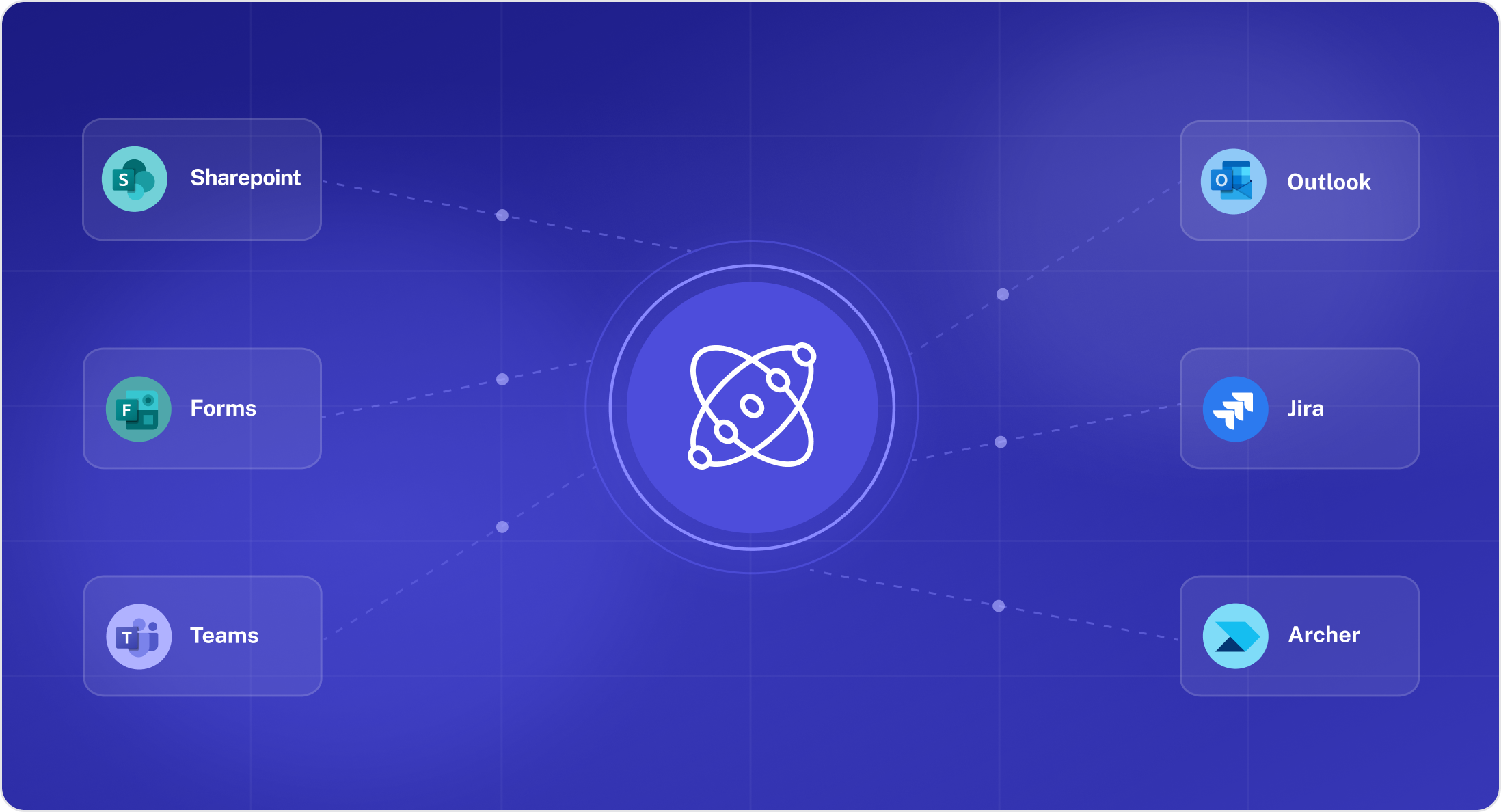

If you’ve already invested in tools like SharePoint, Jira, and ServiceNow, you might be wondering how AlignAI fits in with this existing stack. Luckily there’s no rip-and-replace.
AlignAI is the end-to-end layer that sits on top of your AI lifecycle stack and connects to the tools your teams already use. Your intake forms, GRC system, project tracker, data catalog, and dashboards keep doing what they do, but now AlignAI becomes the single, actionable system of reference across it all. AlignAI pulls data in from your disparate systems and pushes out governance outcomes, risk scores, and status updates. Teams stay aligned with accurate data and the right visibility.
Here, we'll cover:
- Why an end-to-end layer on top of the stack is ideal
- How AlignAI integrations work
- The integrations we offer today, in development, and on the roadmap
- Integration setup time and requirements
- Examples of how customers use AlignAI integrations
- Answers to integration FAQs
Why AlignAI Is an End-to-End Solution, Not Rip-and-Replace
Most enterprises run their AI programs across a fragmented stack and nothing connects them end-to-end. Ideas bounce around for months, governance decisions don’t make it downstream, outdated metadata misleads work and decisions, and leadership can't trace AI value from intent to impact.
With AlignAI as the connecting layer on top of it all, each tool can do what it’s best at, with AlignAI giving you a unified data model across the lifecycle so you can finally see, govern, and prove the value of your AI program.

How AlignAI Integrations Work
1. Intake
An AI use case gets submitted through a SharePoint or Microsoft form. AlignAI is configured to the intake fields and ingests every submission directly into the AI use case registry as a structured record.
2. Refinement & risk scoring
AlignAI captures missing context to enrich your AI use cases by running each submission through a refinement and risk scoring workflow, automatically applying your organization's framework. Every score, field, and decision is captured, helping the use case move along faster.
3. Review & approval
AlignAI routes the right approvals to the right reviewers in Outlook and Teams, with the full risk score, governance context, and supporting documentation surfaced directly in the notification. Reviewers can act from their inbox or a Teams approval card. Every decision is recorded so you can make better decisions on risk.
4. Handoff to delivery & compliance
Once a use case clears governance, AlignAI automatically creates the Jira epic (or Azure DevOps work item, on the roadmap) pre-populated with the approved scope, owner, risk rating, and the specific governance requirements engineering needs to meet. In parallel, AlignAI pushes the risk record and audit evidence into Archer so compliance has what they need without manual re-entry.
5. Tracking & reporting
As work progresses, delivery status flows back into AlignAI from Jira so program leads see governance and delivery health in one view. Power BI pulls live AlignAI data into executive dashboards to show risk posture, pipeline velocity, value realization. Leadership can see the state of the AI program without waiting for a manual report.
How We Build Integrations
We're building a centralized integrations management system that handles authentication, configuration, and data sync across every connected platform. That way, as we grow the integrations library, each one is faster to deploy than the last. Our integrations aim to:
- Eliminate new logins and systems rather than adding them.
- Provide bi-directional/two-way syncs and reconcile information.
- Prioritize security. We use OAuth 2.0 where supported, with API tokens, service accounts, and webhooks depending on the platform.
The long-term direction is fully self-serve so your team can configure and manage any integration directly inside AlignAI.
AlignAI Integrations (As of Q2 2026)
Below are integrations we currently offer, what they do, along with integrations in the works and on the roadmap.
How to Set up an Integration
Here’s what to expect and what we need from your side to set up an integration quickly and effectively:
What We Need from You
- Describe how you want to use the integration. What problem are you solving and in which direction data should flow?
- Map your data fields. Set which fields in your system correspond to AlignAI fields. This is the most important input and the primary driver of setup complexity.
- Choose a technical point of contact. This is someone who can assist with configuration, testing, and any IT approvals required for your organization.
- Provide authentication access. Most integrations require AlignAI to be registered as an application in your environment. You’ll typically need an OAuth app registration or a service account. Your team then configures credentials directly in AlignAI's Integrations Manager so you don’t need to share any credentials with our team.
How Long Does It Take to Implement Integrations?
Setup times are largely determined by how quickly your team can complete field mapping decisions and how fast your IT processes move for approvals and access provisioning. This is what we typically see:
The most common delay is waiting on internal IT queues for service account approvals, firewall rules, or email system configuration. We recommend initiating these requests early and flagging them to your IT team before configuration begins.
Examples of Customers Using AlignAI Integrations
SharePoint: Intake without disruption
The Problem: A mid-scale bank already managed all project intake through SharePoint forms. Asking business teams to submit AI use cases somewhere else was a non-starter.
The Solution: With AlignAI's SharePoint integration, use case submissions flow directly from the existing SharePoint form into AlignAI's registry. Refinement, risk scoring, and approval all happen inside AlignAI. Once a use case clears governance, the completed record with an audit trail and risk assessment is written back to SharePoint, where compliance can find it where they expect it.
The Result: No disruption to how the business submits work, and full governance and audit-ready records on the back end where they’re expected.
Jira: Keeping governance and delivery in sync without double-entry
The Problem: A regional bank's AI use cases would clear governance review, but the engineering team would start building the wrong version of it. Risk would flag a constraint on PII usage during approval, but that requirement lived in a SharePoint doc nobody opened once the Jira epic was created, causing weeks of rework and a new data pipeline.
The Solution: With AlignAI's Jira integration, the moment a use case is approved, AlignAI automatically creates the Jira epic, pre-populated with the use case name, owner, risk rating, and the specific governance requirements engineering needs to meet. As work progresses, Jira sprint status, blockers, and completion dates flow back into AlignAI.
The Result: Everybody sees what they need to see, where they need to see it and can trust it’s the latest data. Governance decisions are enforced and updated downstream so no engineering time gets wasted on the wrong work or building additional data pipelines. Program leads see delivery health alongside governance status in a single view.
Don't See Your System? Let's Talk.
The integrations above cover the platforms our customers ask for most. If your system exposes a REST API, we can generally integrate with it. But if you have a system that isn't listed, or you're not sure how AlignAI would fit alongside your existing tools, our team can help.
Walk us through your stack, and we'll show you exactly how AlignAI plugs in. Book a call with our team today.
Integrations FAQs
How AlignAI Integrations Work with Your Tools
Does AlignAI replace tools like ServiceNow, Archer, Jira, or SharePoint?
No. AlignAI is the connective layer on top of all your tools for a unified data model across the AI lifecycle. It connects to your existing tools and connects to them so your team can keep working in them.
Can AlignAI integrate with a custom or proprietary internal system?
Yes. If your system exposes a REST API, AlignAI can integrate with it. Contact us to discuss the approach and scope.
Integration Set-up and Management
How long does setup take?
Most integrations are live within 1–3 weeks. The primary variable is your organisation's internal IT processes, not the AlignAI configuration itself.
Can we test the integration in a sandbox before going live?
Yes, and we support (and encourage) sandbox testing for all integrations before they go live in your production environment. For integrations where we have our own sandbox (e.g., ServiceNow), we can demonstrate the full data flow without any configuration on your end. For integrations built in your environment (e.g., Archer, Jira), we configure against your non-production instance first and validate the data flows before moving to production.
How is data from AlignAI pushed into an integration?
Most integrations are powered by direct API calls to the connected platform (REST APIs in nearly every case), with webhook-based syncs available where appropriate. AlignAI's Integrations Manager handles authentication, field mapping, and the actual data sync. When something changes in AlignAI (e.g., a new approval, a risk score update) the relevant data is pushed to the connected system in near real time.
Who manages the integration once it's set up?
Your team owns it, with AlignAI's Integrations Manager designed for admins to self-manage with the platform. You can do field mapping changes, credential rotations, and sync configurations all within the platform.
What happens if a connected system is unavailable?
AlignAI handles connection failures by syncing events, which are queued and retried automatically. Governance workflows in AlignAI continue to function independently of any connected system's availability.
Is bidirectional sync available for all integrations?
Bidirectional sync is available today for Jira and is the target architecture for all integrations on our roadmap. Some current connections are unidirectional while full sync is being built. Each integration's current flow direction is documented above.
What can I do if it’s difficult to get approvals for integrations at my company?
We've helped customers navigate this in regulated industries before and can share specific guidance based on your environment, but a few things that consistently help:
- Loop your IT and security teams in before configuration begins.
- Share AlignAI's security documentation early so it can be reviewed in parallel with other steps.
- Start the service account or OAuth app registration request as soon as you've decided on an integration as these approvals are typically the longest part of the process.
- Use our sandbox first to demonstrate how the integration works in a non-production environment.
Compliance and Security
How is compliance (e.g., SOC2) baked into integrations?
AlignAI is SOC 2 Type II certified, and integrations are scoped to the minimum permissions required for each data flow. Authentication runs through your existing identity provider, and we can provide our SOC 2 report and security documentation for your vendor assessment.
How do integrations affect our data security and governance posture?
AlignAI integrations are scoped to the minimum permissions needed for each data flow. Authentication is managed within your existing identity provider (e.g., Azure AD for Microsoft integrations). We are happy to provide security documentation for your organisation's vendor assessment process.
What authentication methods are supported?
OAuth 2.0 is the preferred method across all integrations where supported. We also support API tokens, service accounts, and webhook-based authentication depending on the platform. Credentials are always managed within your environment. AlignAI does not handle or store your credentials.
Does AlignAI have access to our credentials or connected systems?
No. Credentials are never shared with or stored by AlignAI. Authentication for each integration is handled entirely within your environment. You can audit, rotate, or revoke access from your own systems at any time independently of AlignAI.
- For OAuth 2.0 integrations (Microsoft, Jira, ServiceNow, Workday): your identity provider issues tokens directly to AlignAI's registered application.
- For API token integrations: tokens are entered and stored within your AlignAI tenant, encrypted at rest, and are never accessible to AlignAI staff.